FH.
ES
B2B product

Web platform and Android app

Your team's time tracking, organized in a single system.

Available for deployment

A web platform and Android app for centralizing time tracking and employee management.

Stack

  • Java
  • Spring Boot
  • React
  • TypeScript
  • PostgreSQL
  • Kotlin
  • Android
Demo available soonupdated 2026-08-05
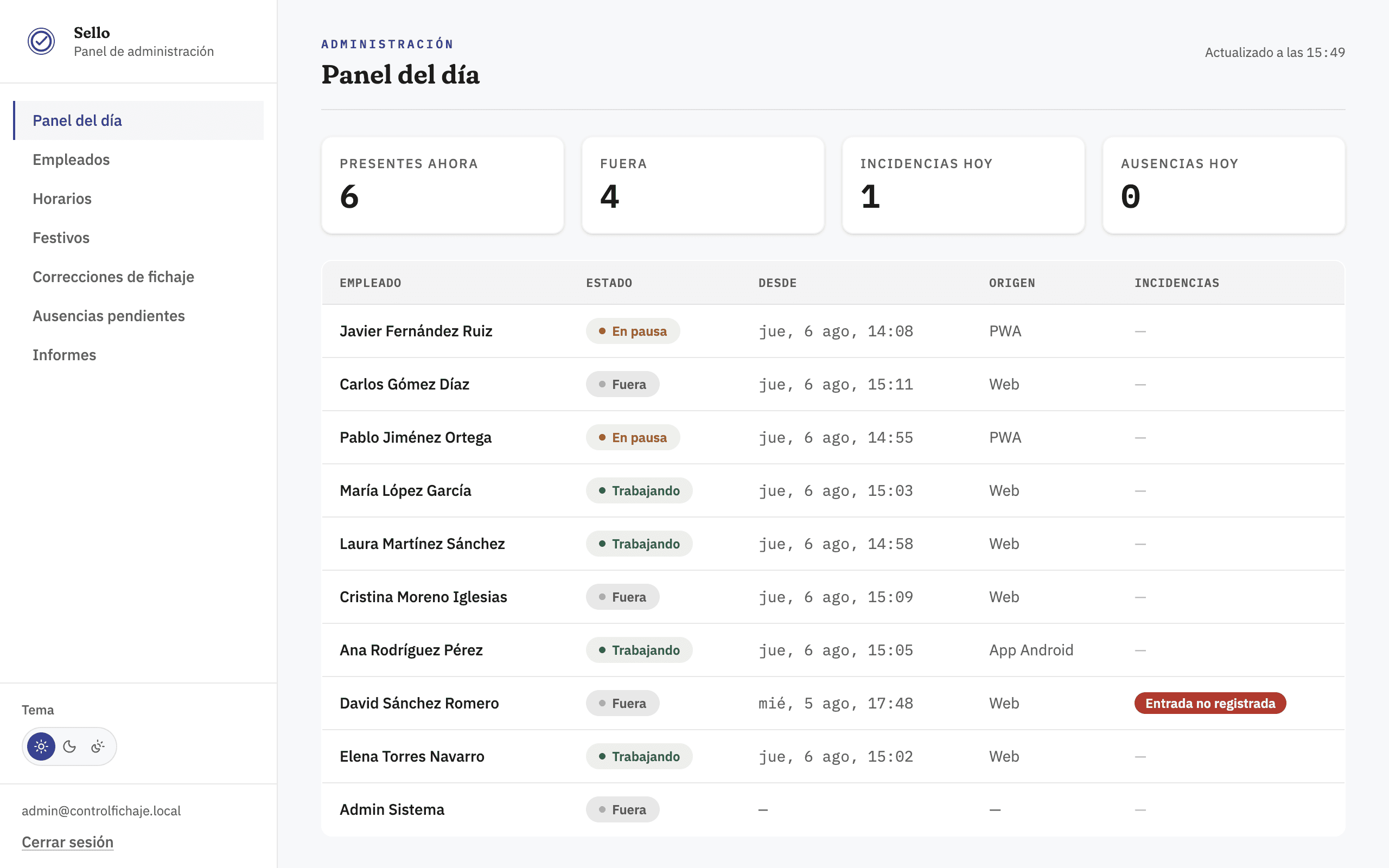
Sello admin dashboard showing today's summary: employees currently clocked in, out, exceptions, and absences, with a live per-employee status table.
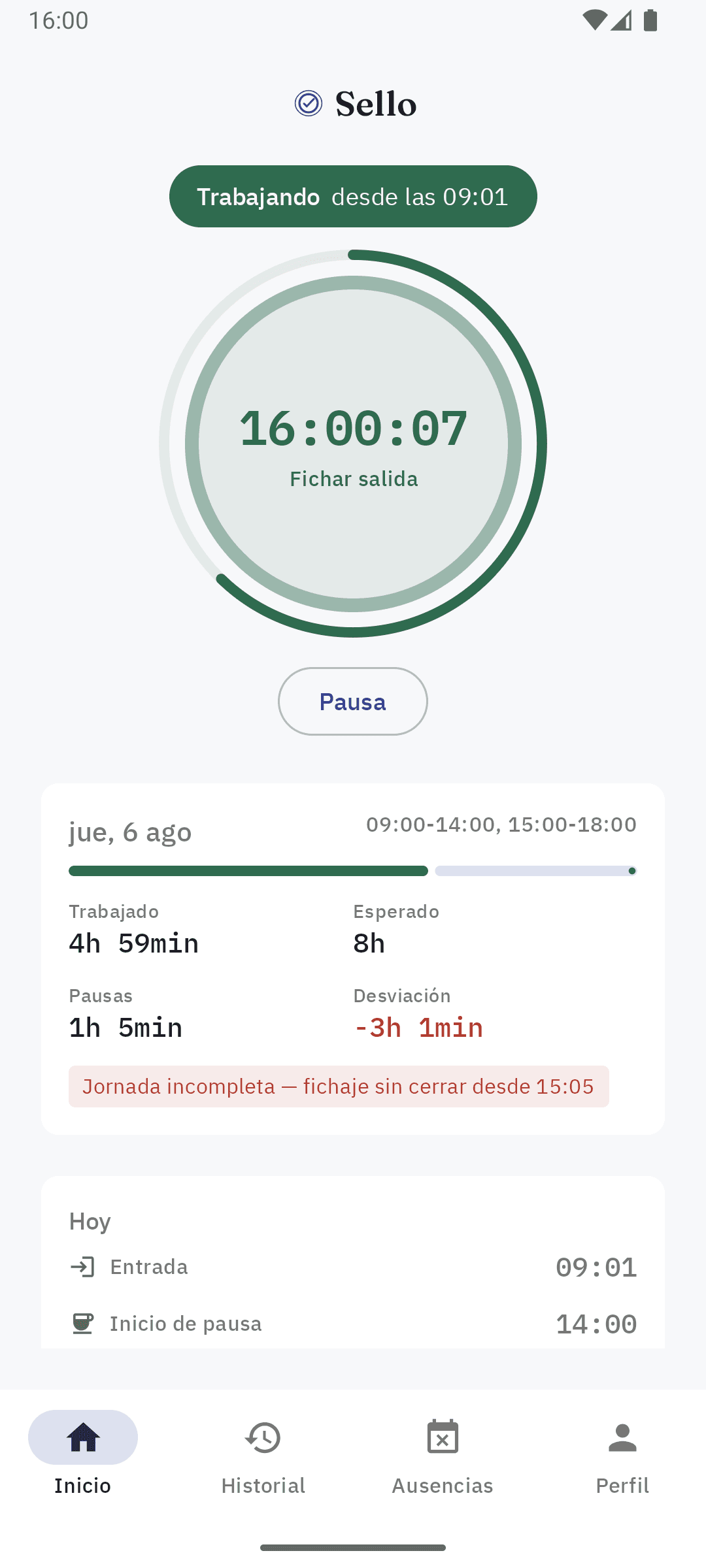
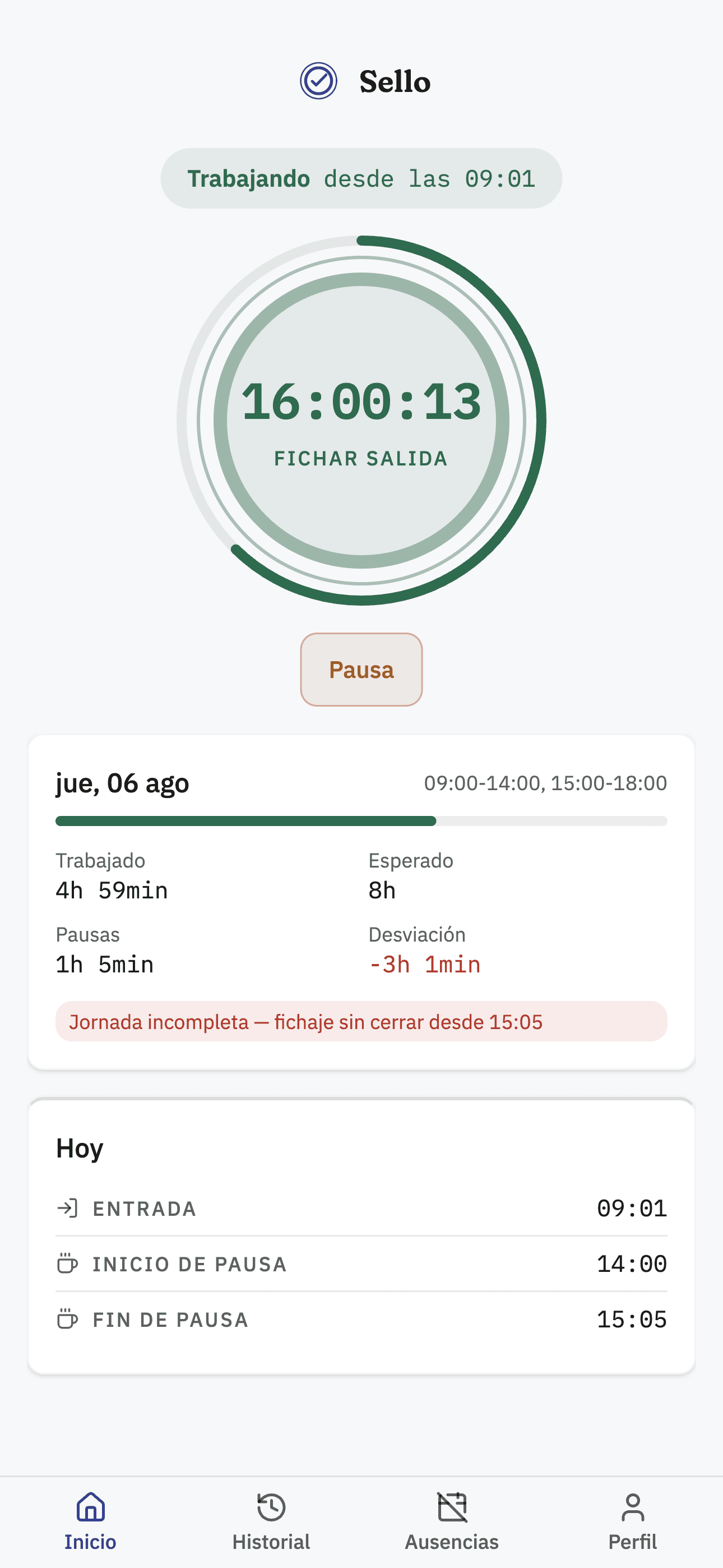
Home screen of Sello's Android app with the running workday timer and the button to clock out.

Two interfaces, one system

When time tracking runs on scattered processes

Spreadsheets, messages, separate documents, and manual reviews make it hard to track working hours and eat up administrative time.

Sello is built to make organizing, tracing, and reviewing time records straightforward.

A connected platform for managers and employees

Managers run the team from the web dashboard, and employees clock in from the app. The data stays centralized and available for review.

A dedicated installation for each client

Sello is deployed as an independent, self-hosted installation per client — not as a shared multi-tenant SaaS platform. Each deployment manages its own data and users.

Features

The names, employees, and data shown in the screenshots are fictional and used solely for demonstration purposes.

Web dashboard

  • Manage employees, holidays, and time off.
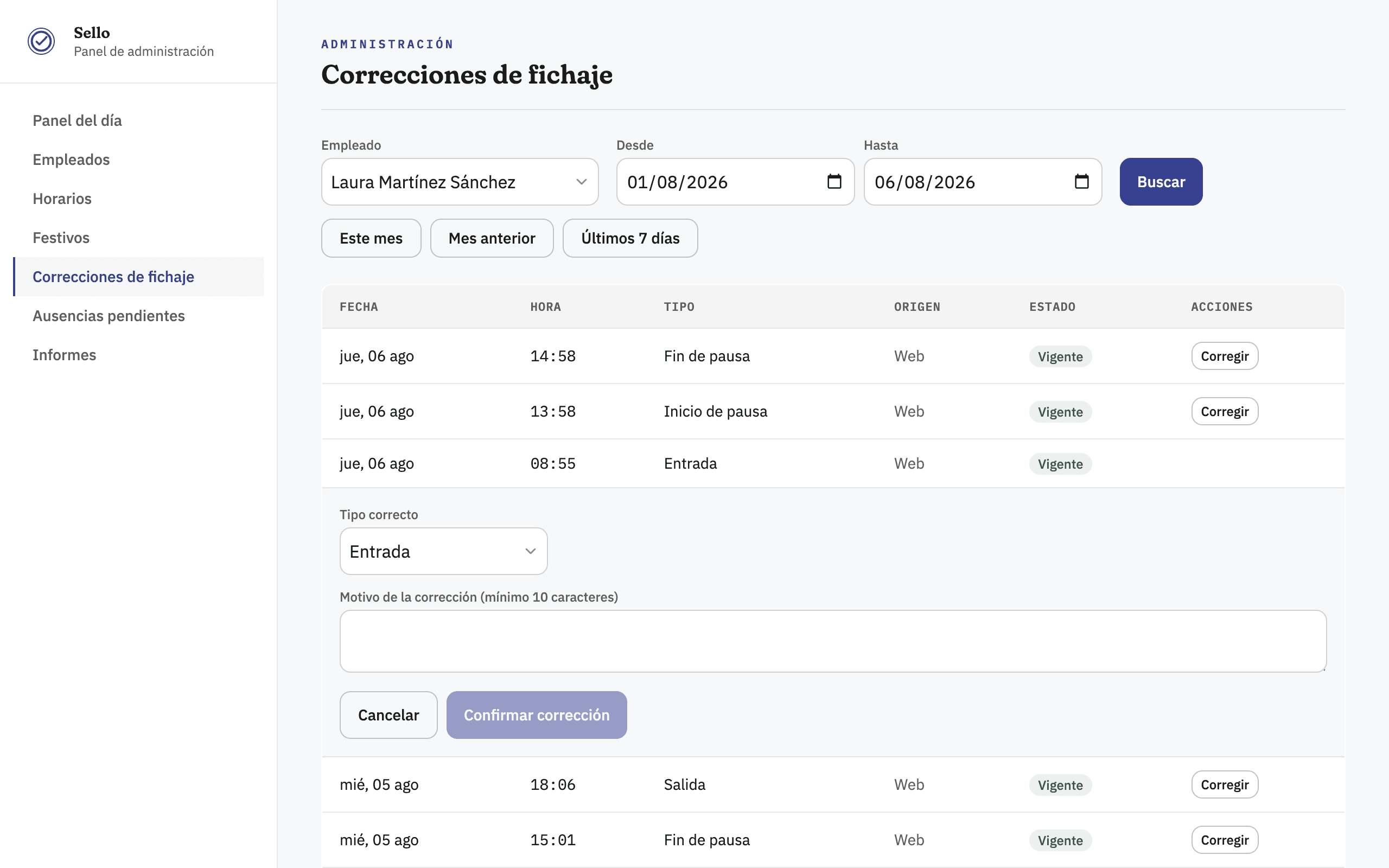
  • Append-only clock-ins: every correction inserts a new event linked to the original, with an author and reason — a record is never edited or deleted.
  • Roles and permissions for admins and employees.
  • Real-time view of who's currently clocked in.
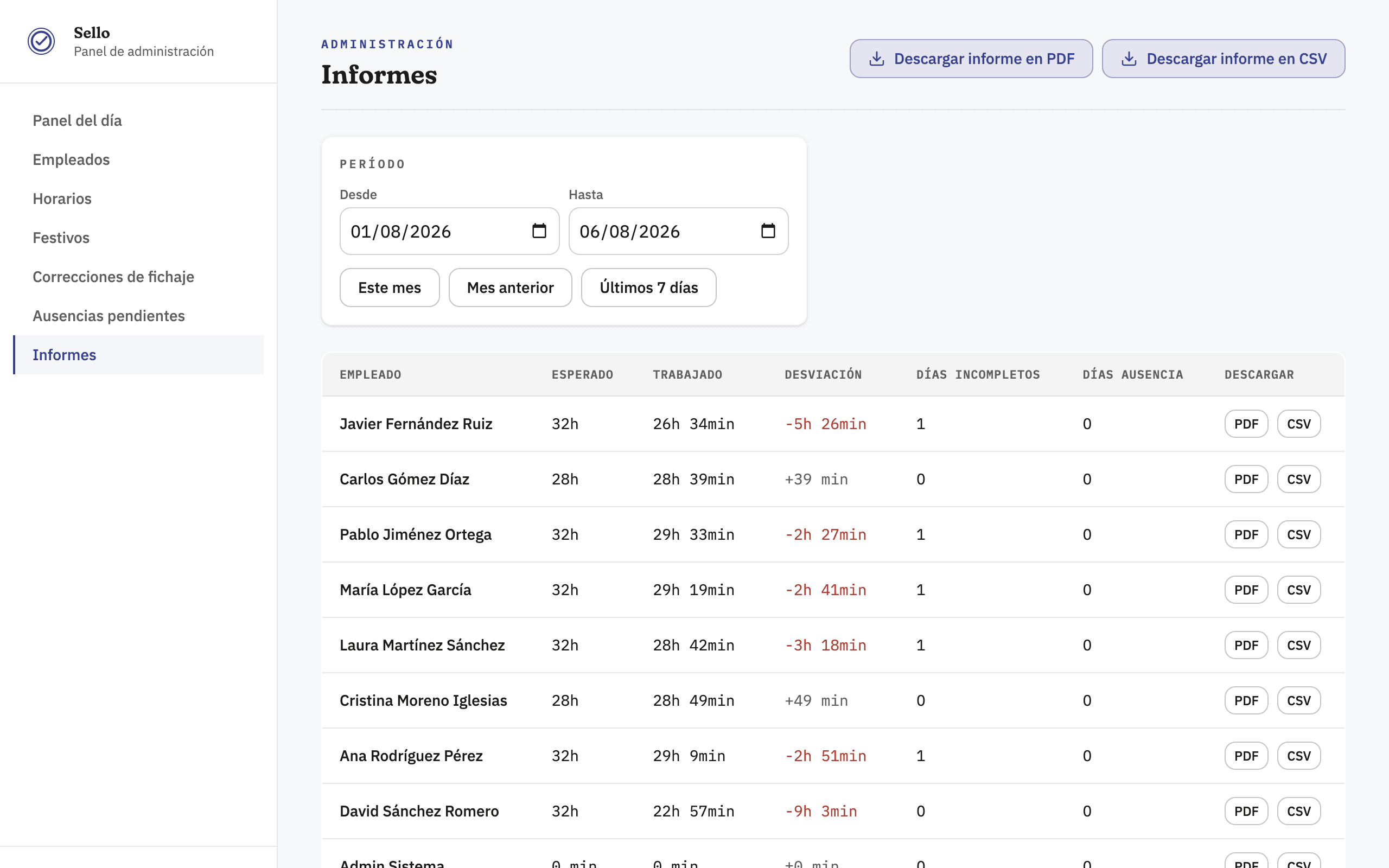
  • Reports exportable to PDF and CSV, ready to show an inspector or hand to an employee.
Sello admin dashboard showing today's summary: employees currently clocked in, out, exceptions, and absences, with a live per-employee status table.
Today's dashboard, with real-time headcount.
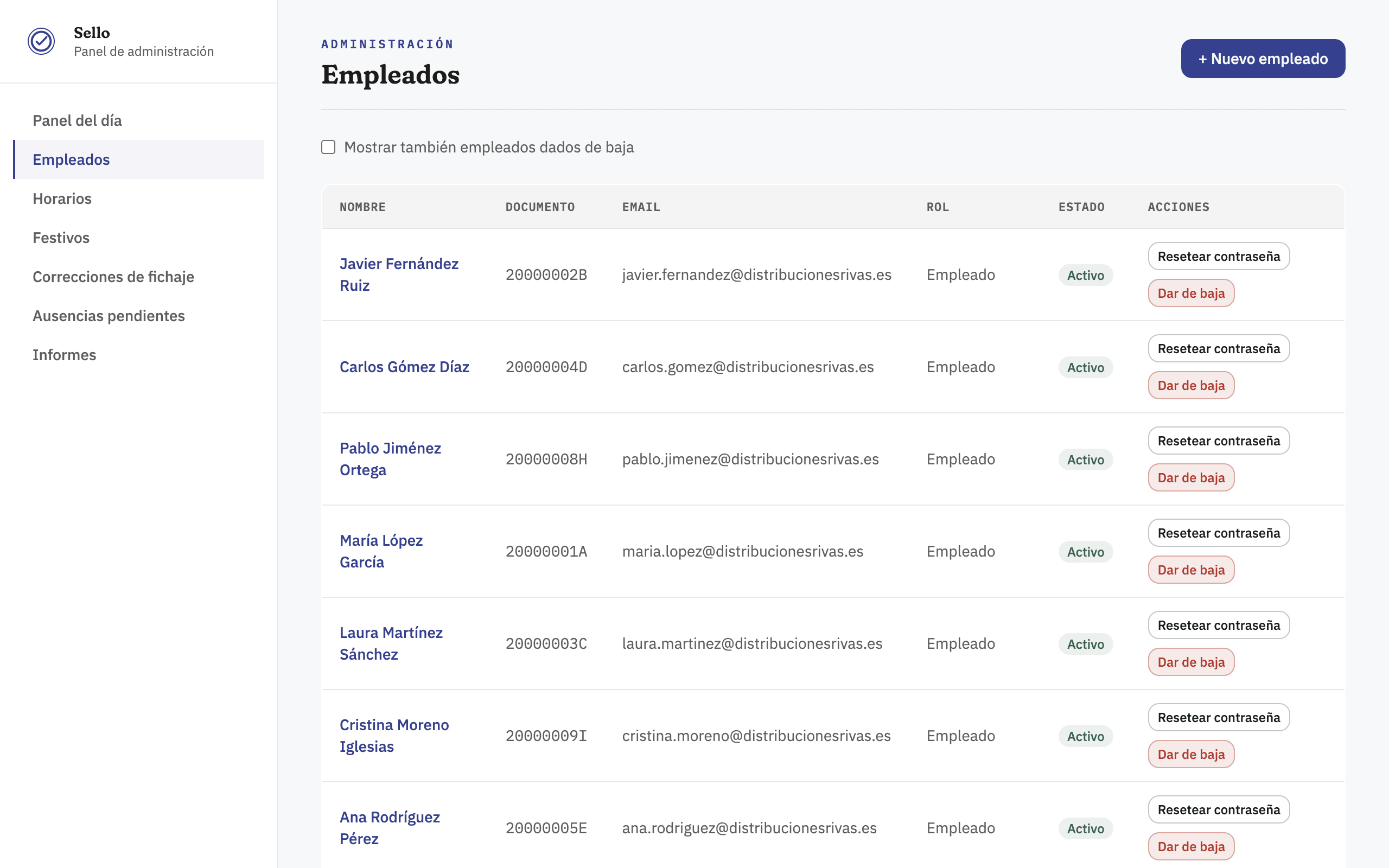
Employee list in the Sello admin dashboard showing ID document, email, role, status, and actions to reset a password or deactivate an employee.
Employee management, roles, and offboarding.
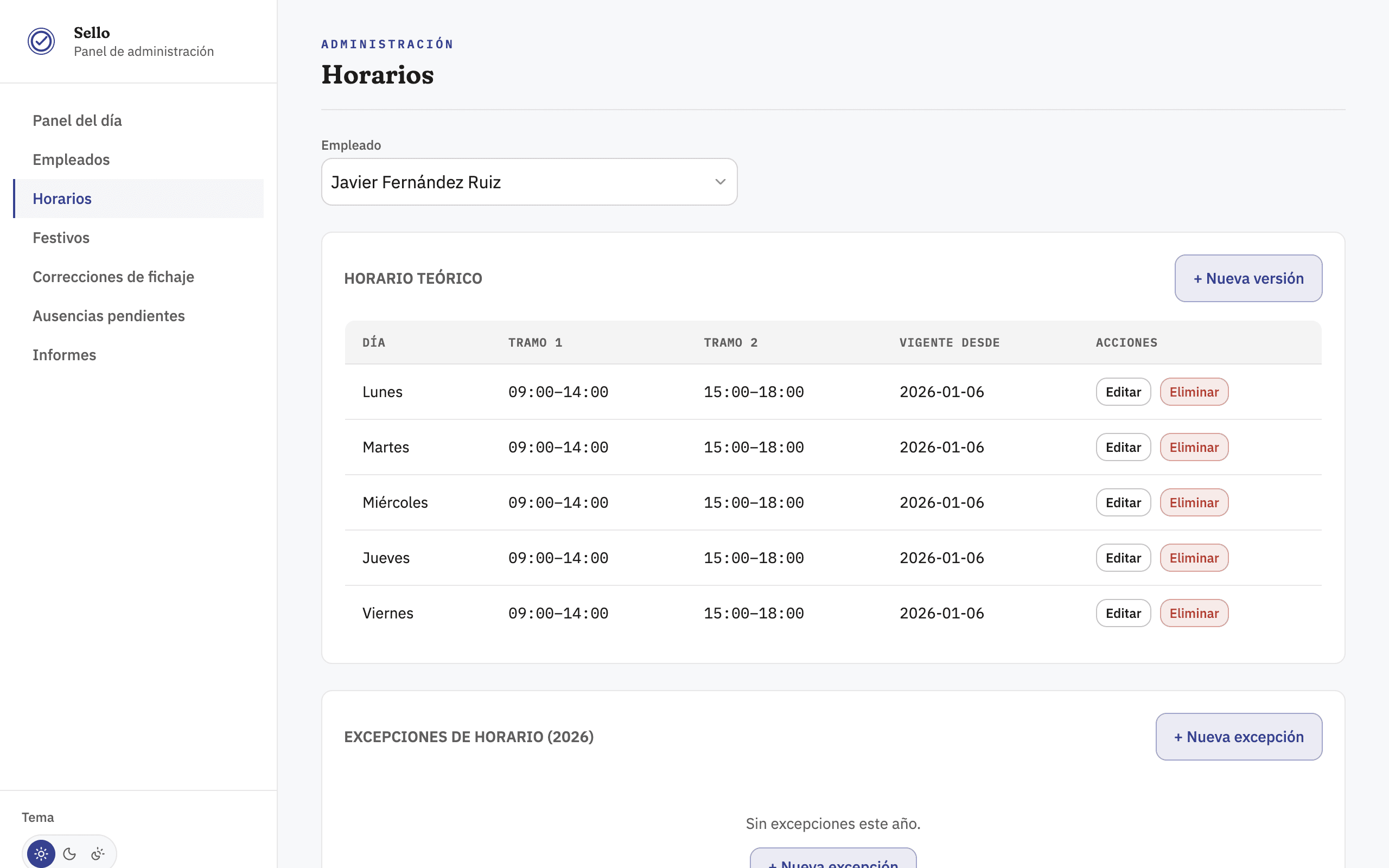
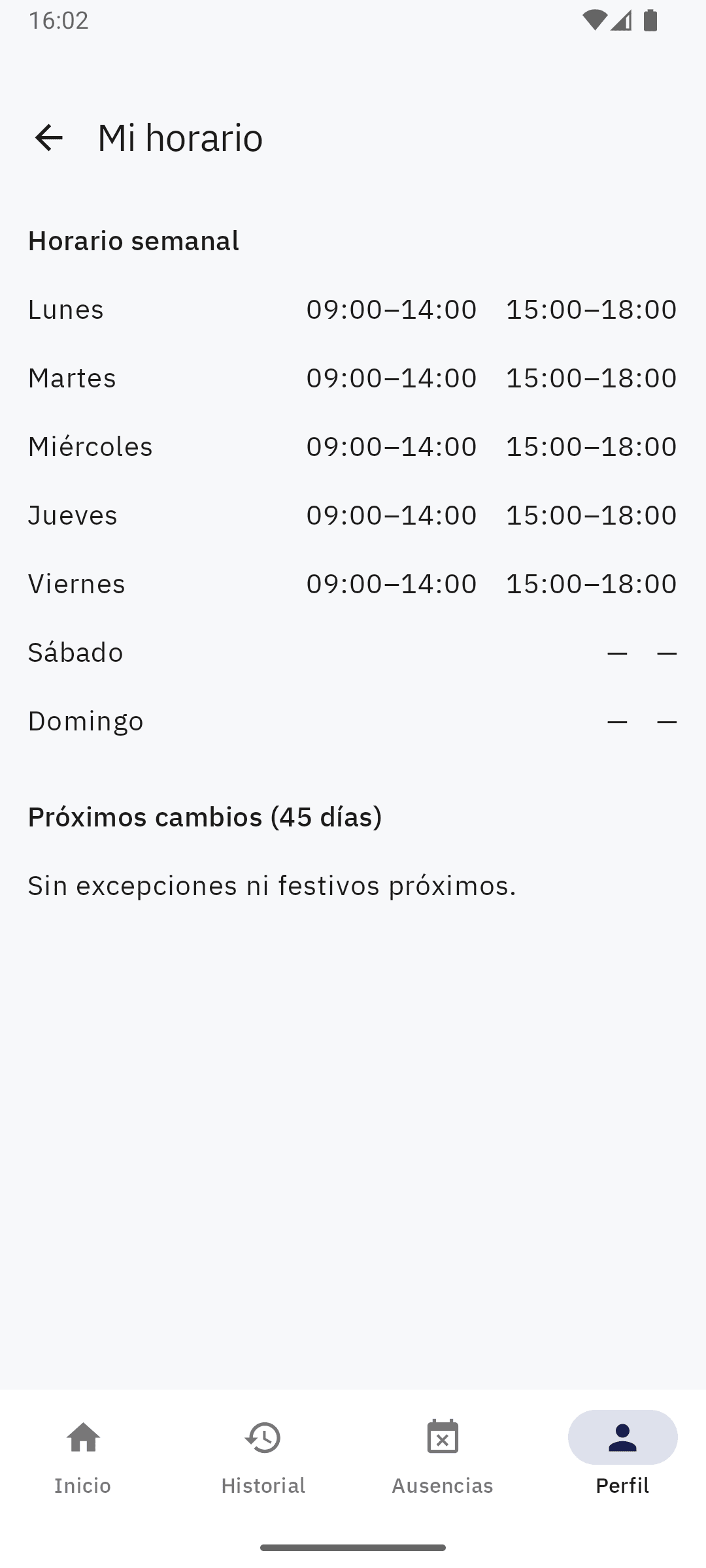
Weekly schedule editor for an employee in Sello, with time blocks per day and exception management.
Theoretical schedule per employee, with exceptions.
Clock-in correction screen in Sello listing events by date and time, with a form to record the correct type and the reason for the correction.
Clock-in corrections, always with a reason.
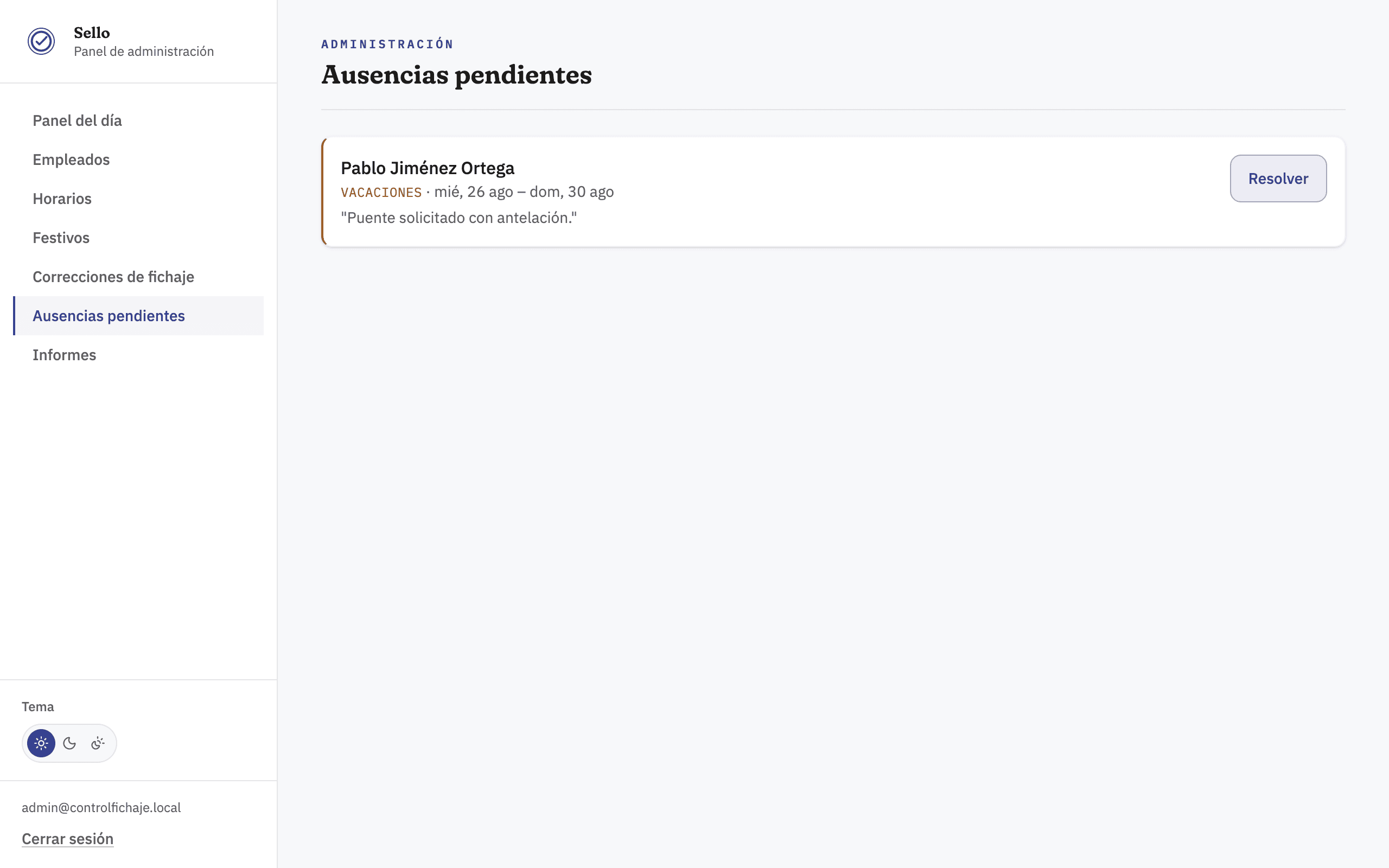
Pending absences panel in Sello showing a vacation request from an employee awaiting resolution.
Approving pending time-off requests.
Sello reports screen with a date range picker and a table of expected, worked, and deviation hours per employee, exportable to PDF and CSV.
Reports, exportable by period.
01 / 06

Responsive access

  • The dashboard adapts to any device without losing any feature.
  • Managers can review clock-ins and exceptions from their phone.
  • Same session and permissions as on desktop.
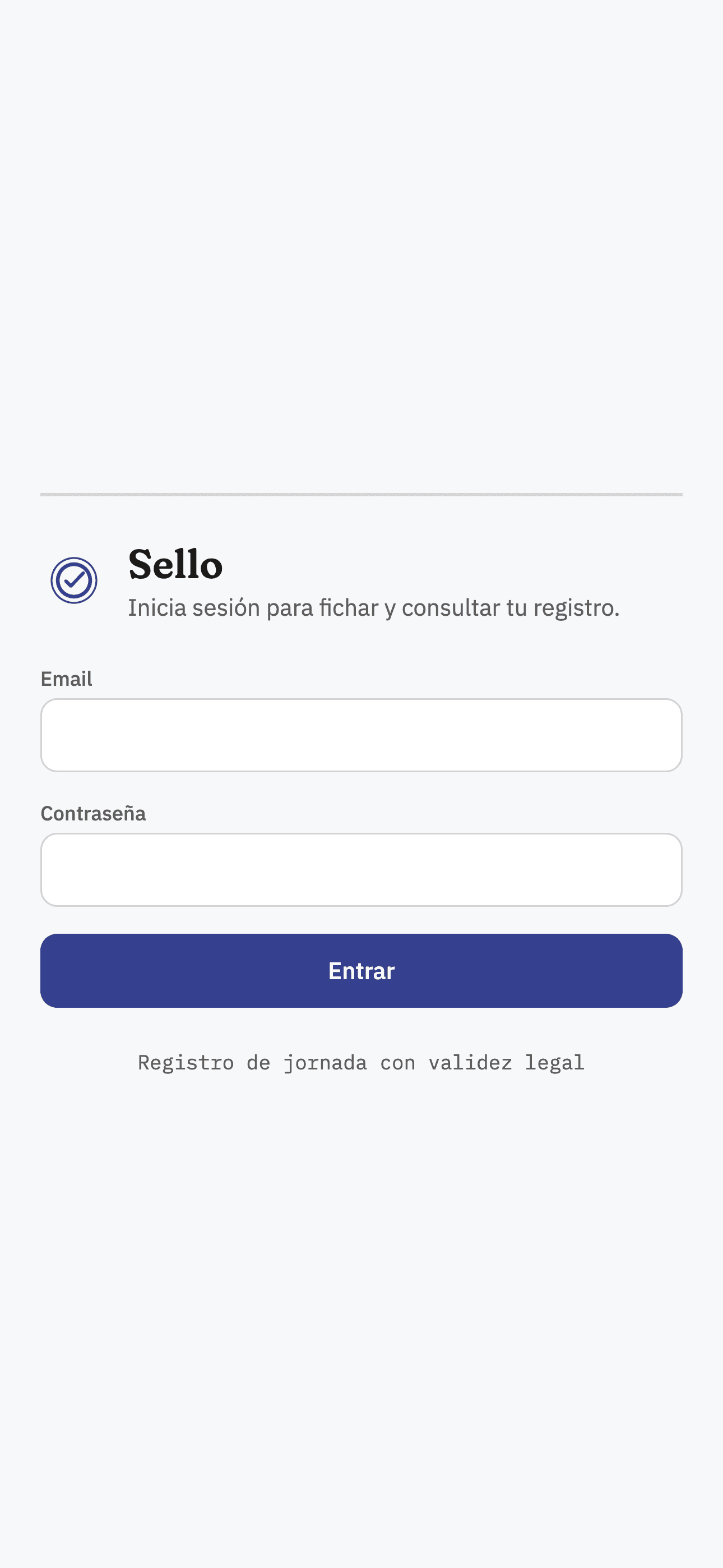
Sello sign-in screen on a mobile browser.
Dashboard access from mobile.
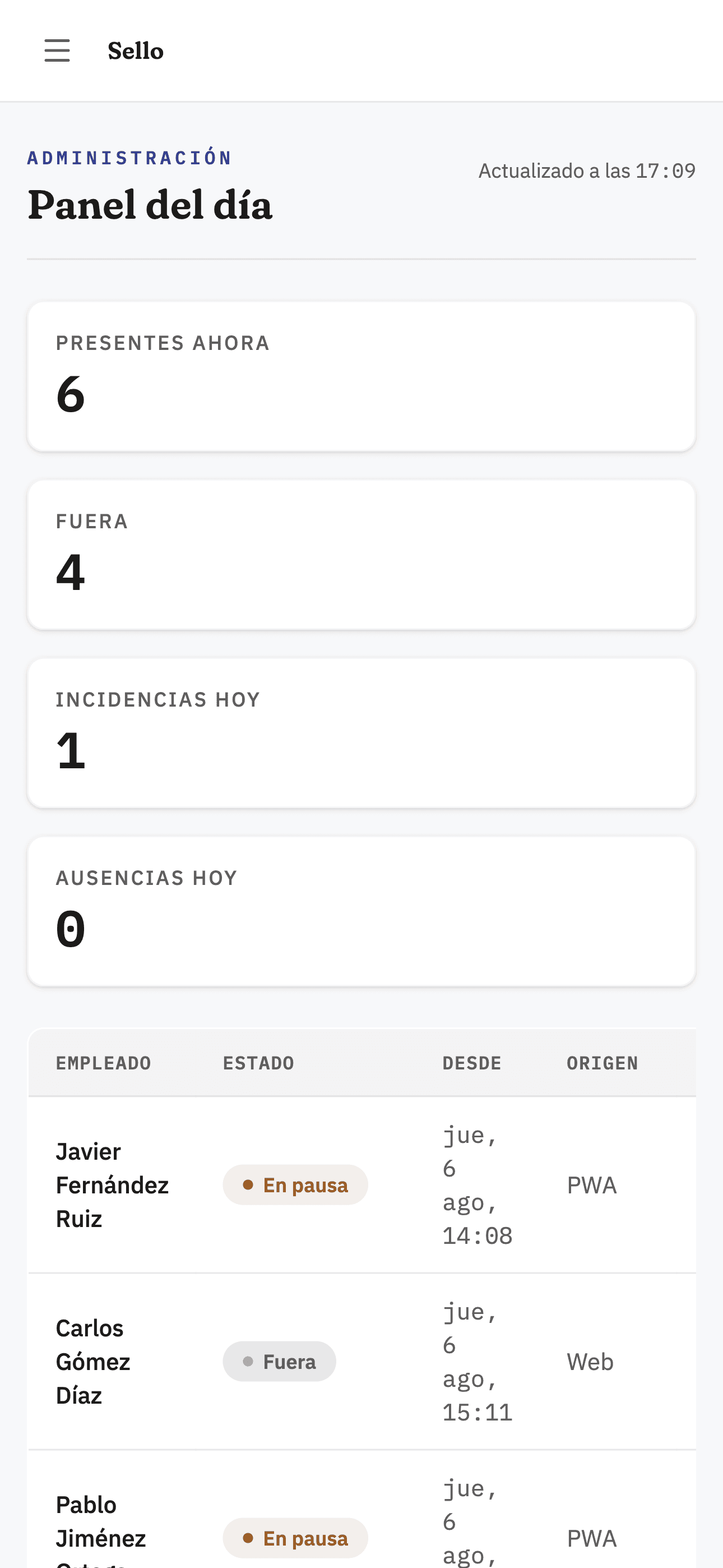
Sello admin dashboard adapted to a mobile screen, showing today's summary.
Today's dashboard, responsive.
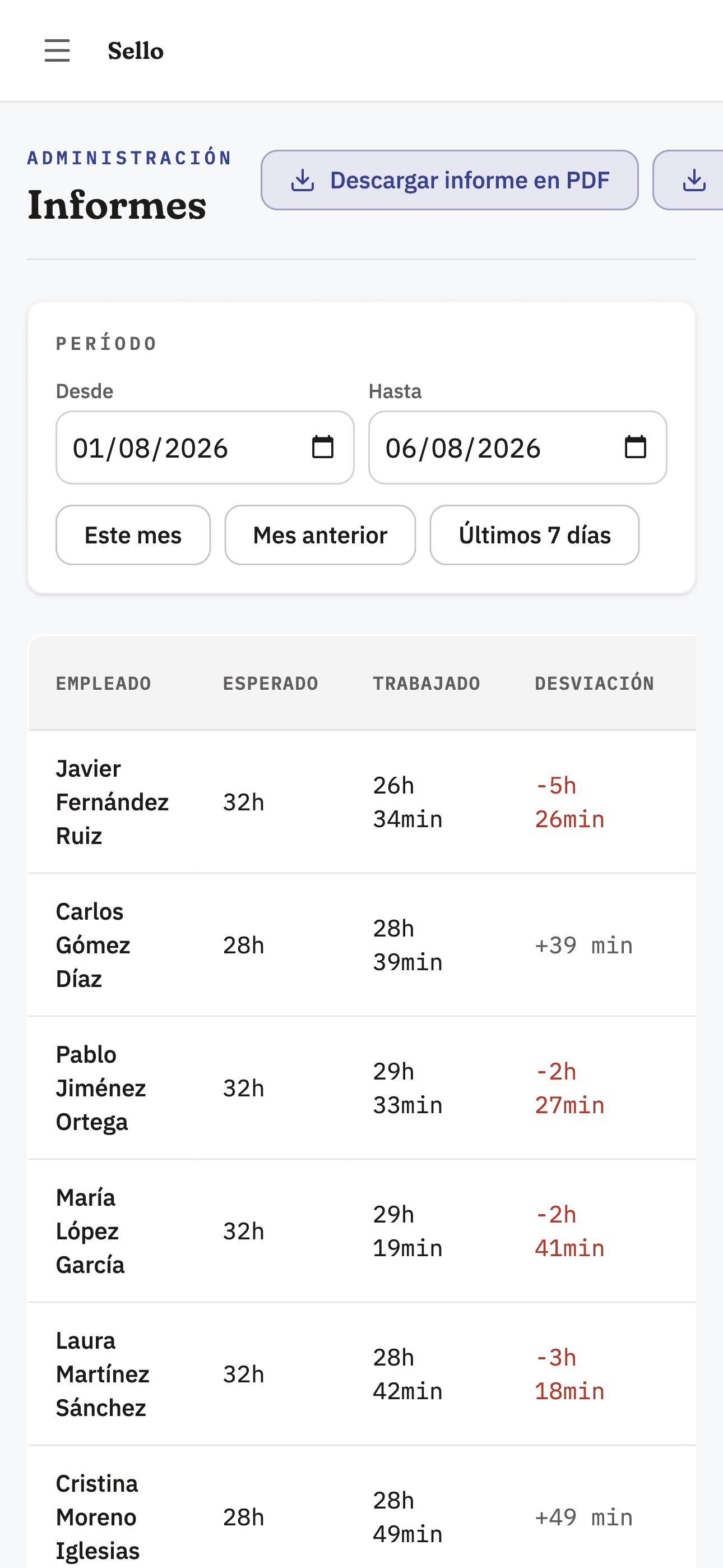
Sello reports screen adapted to mobile, with the per-employee hours list.
Reports from mobile.
Employee view in Sello's responsive web with the running workday timer and the button to clock out.
Employee clock-in from the browser.
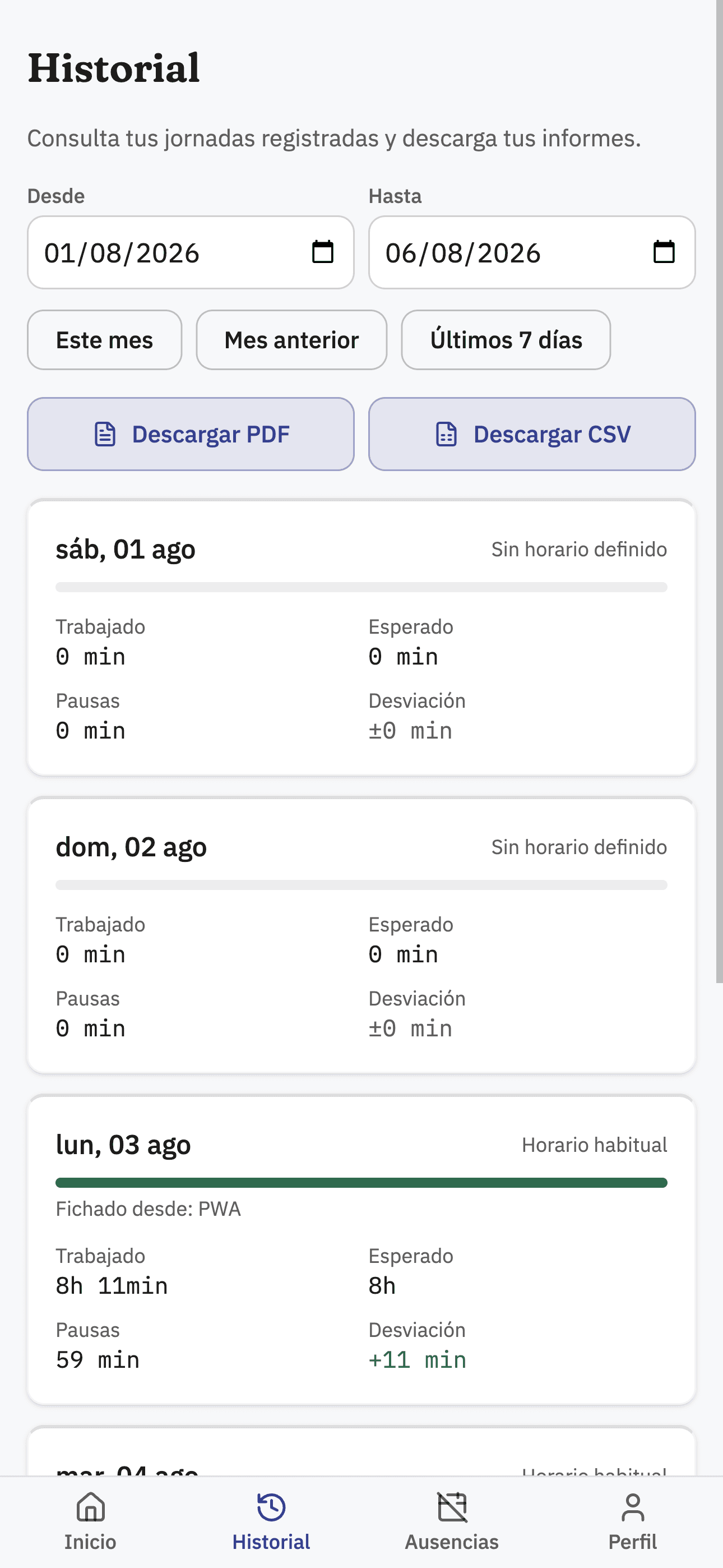
Employee workday history in Sello's responsive web, with worked hours and deviation per day.
Employee's workday history.
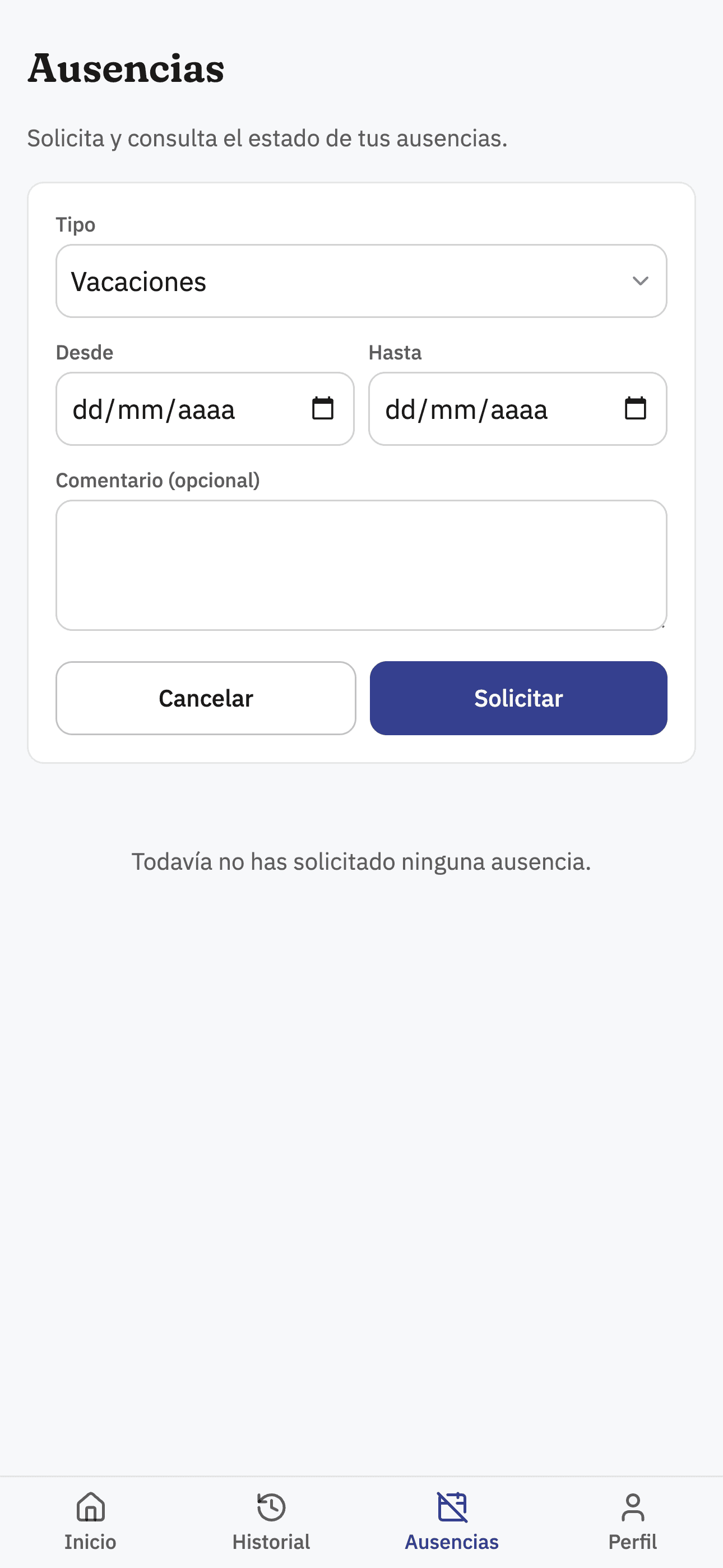
Time-off request form for the employee in Sello's responsive web.
Employee time-off request.
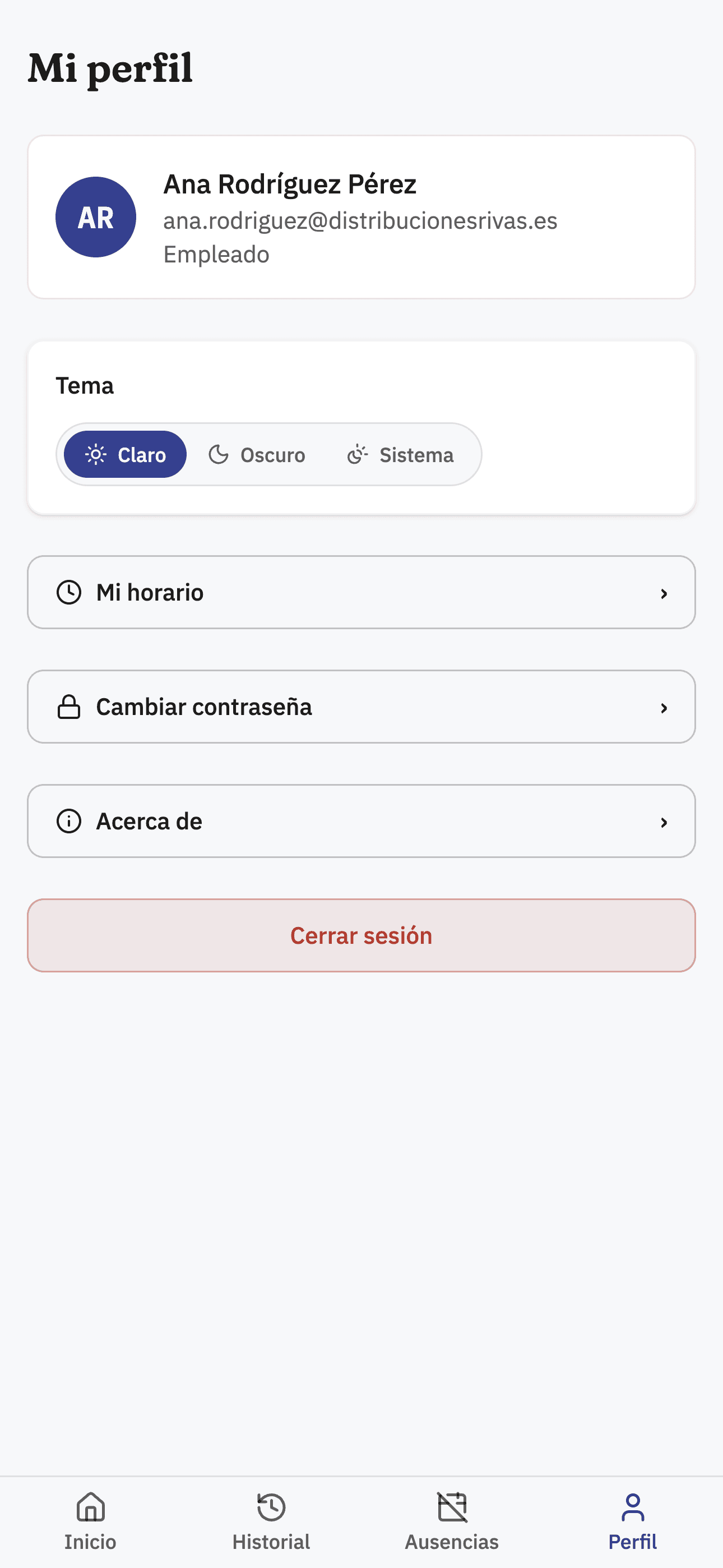
Employee profile screen in Sello's responsive web, with theme switcher and links to schedule and password.
Employee profile.
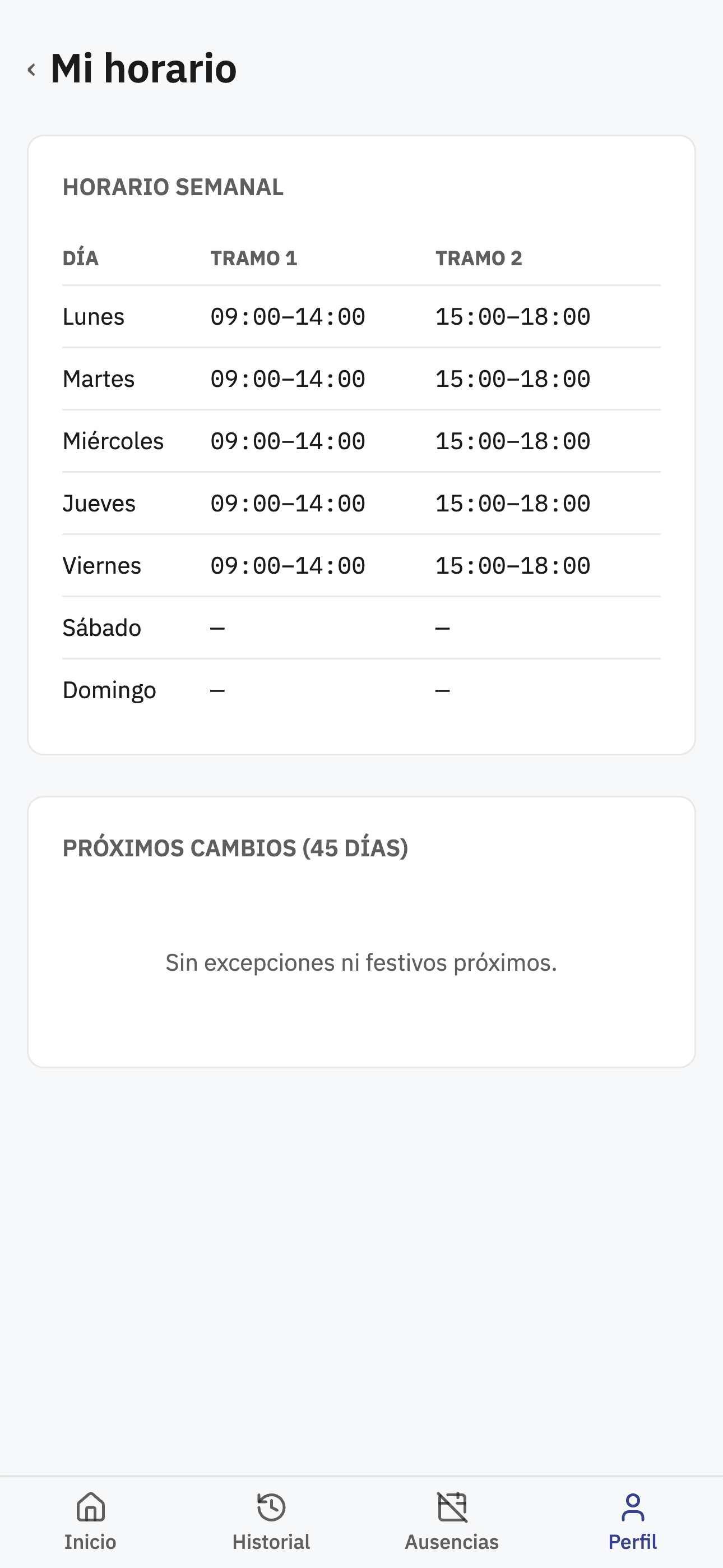
Weekly schedule view for the employee in Sello's responsive web.
Employee's weekly schedule.
01 / 08

Android app

  • Start and end the workday with one tap from the home screen.
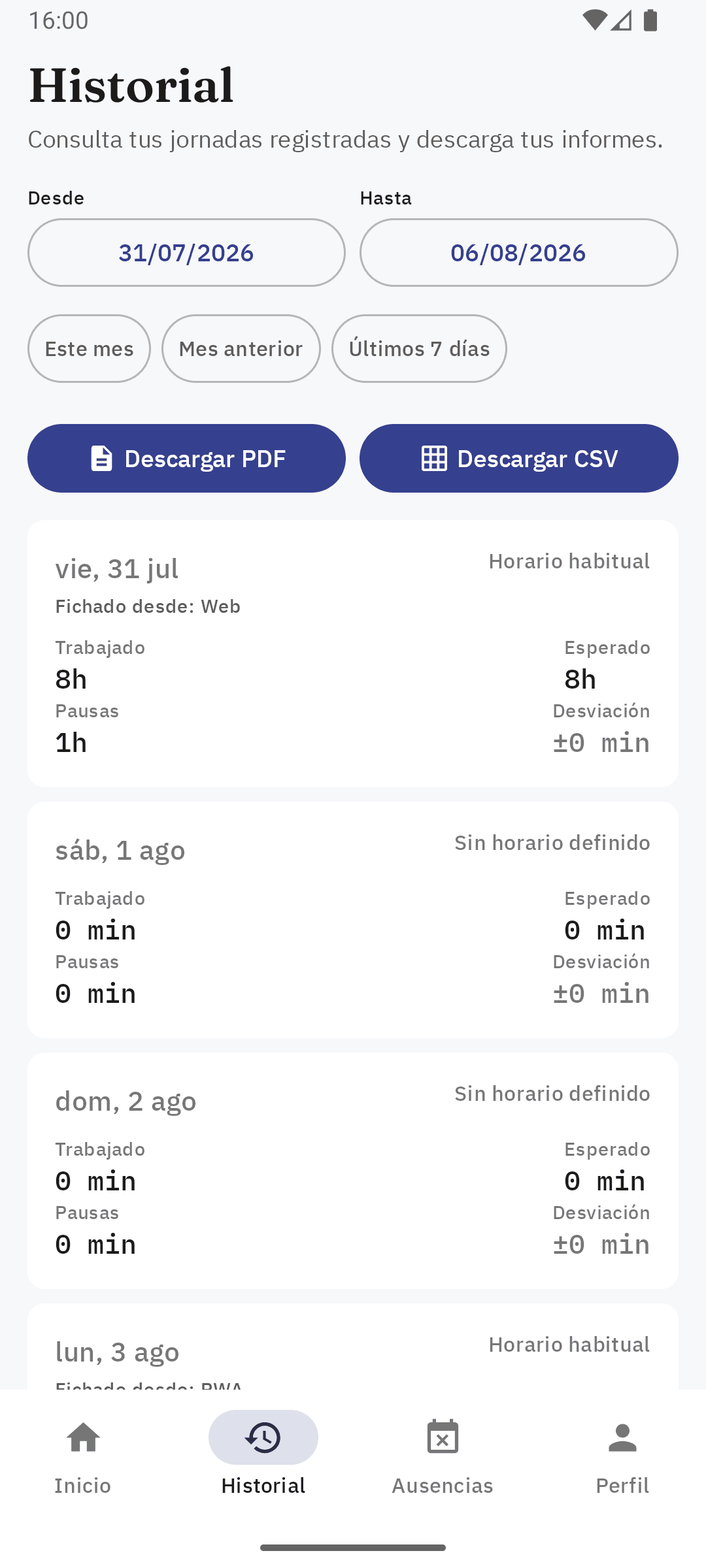
  • Clock-in history with offline caching: if the device has no connection when clocking in, the event queues up and syncs once the connection returns.
  • Access to user data, time off, and schedule.
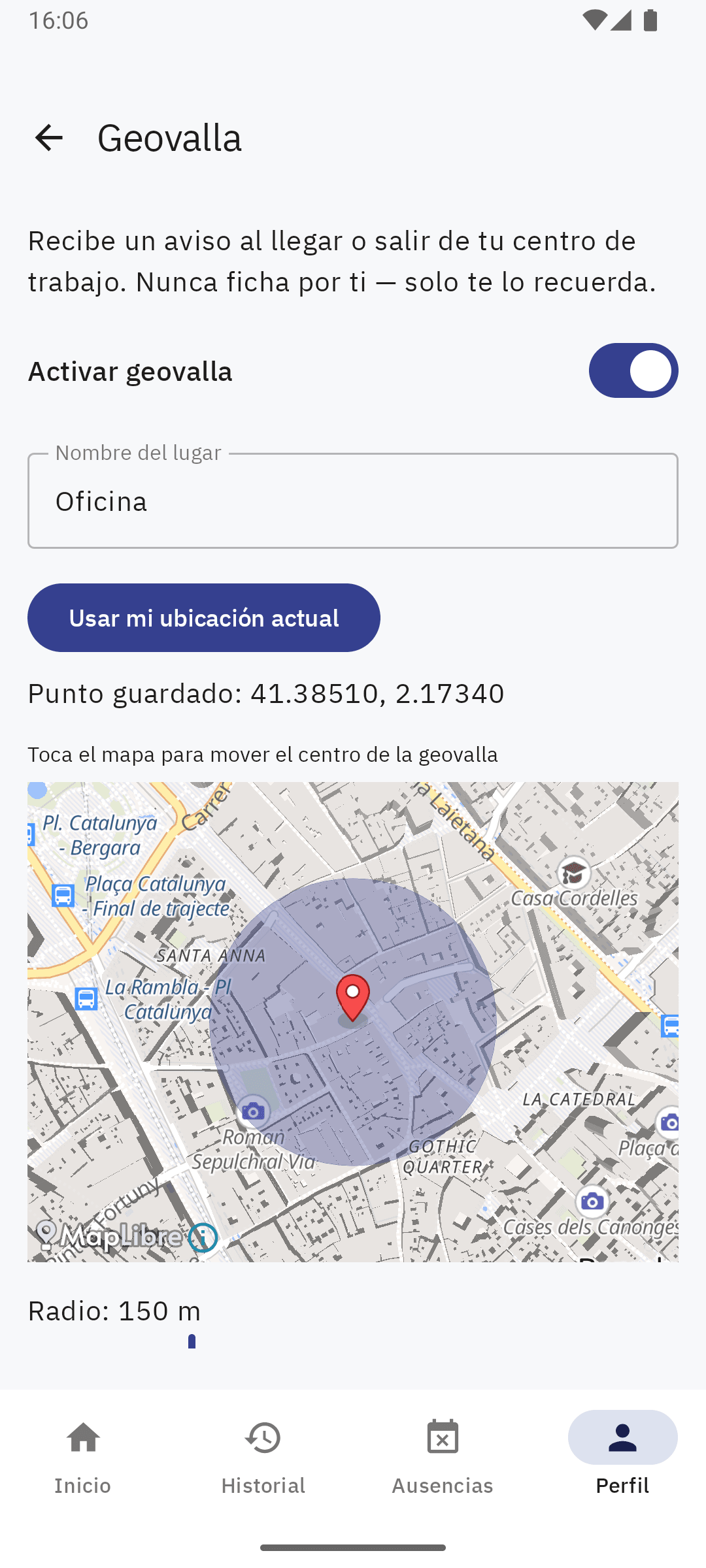
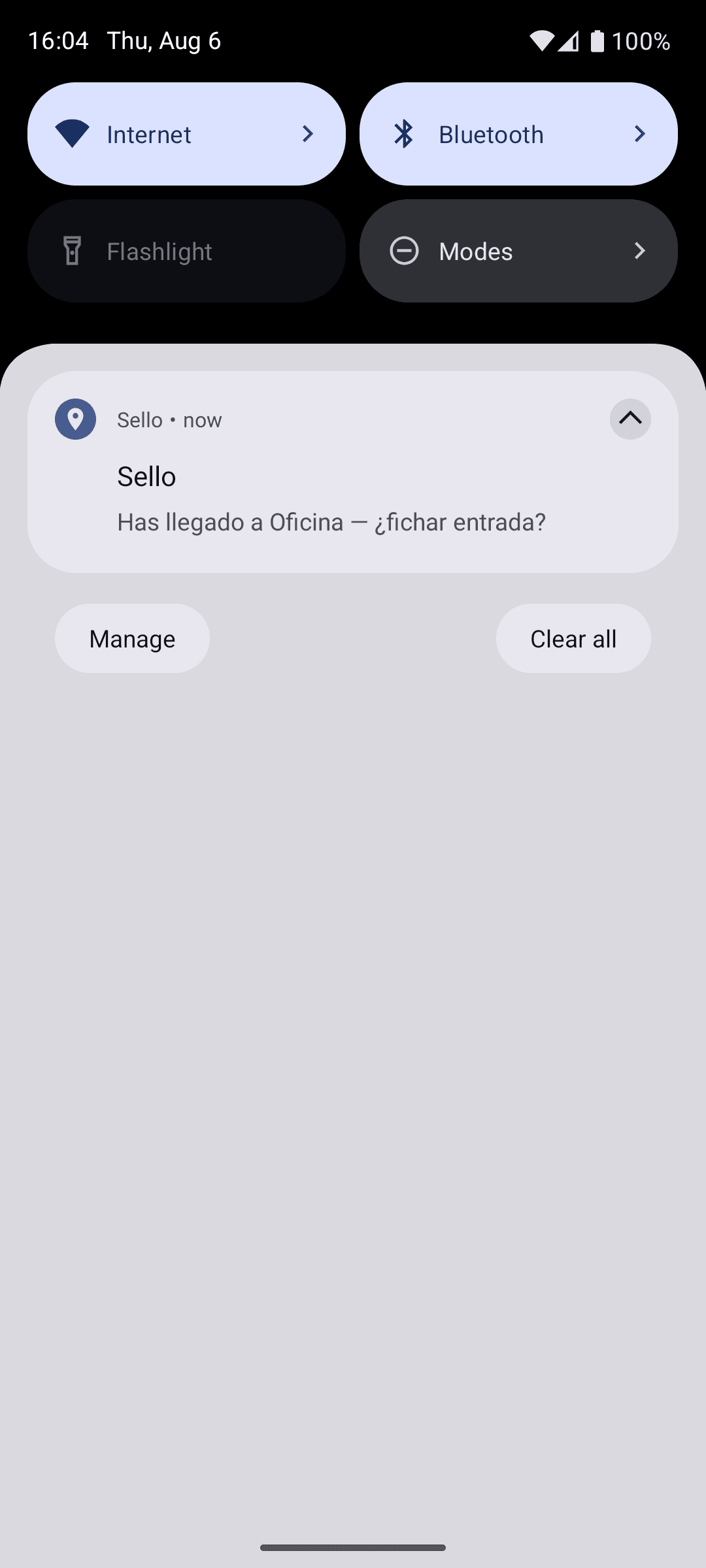
  • Optional geofencing: notifies when entering or leaving the workplace radius, without ever clocking in on the user's behalf.
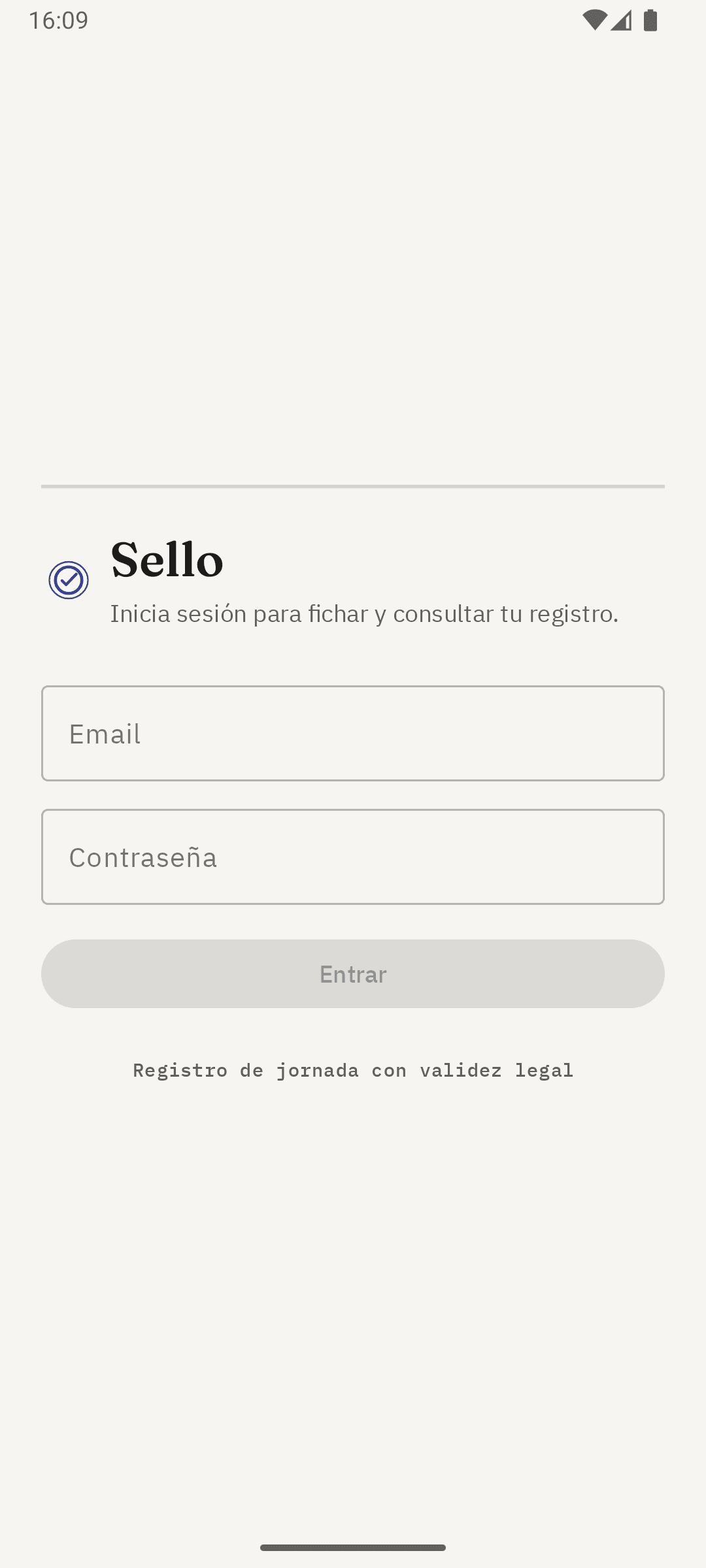
Sign-in screen of Sello's Android app.
Signing in to the Android app.
Home screen of Sello's Android app with the running workday timer and the button to clock out.
Clocking in with one tap.
Workday history in Sello's Android app, showing the clock-in source and hours worked per day.
Clock-in history with offline caching.
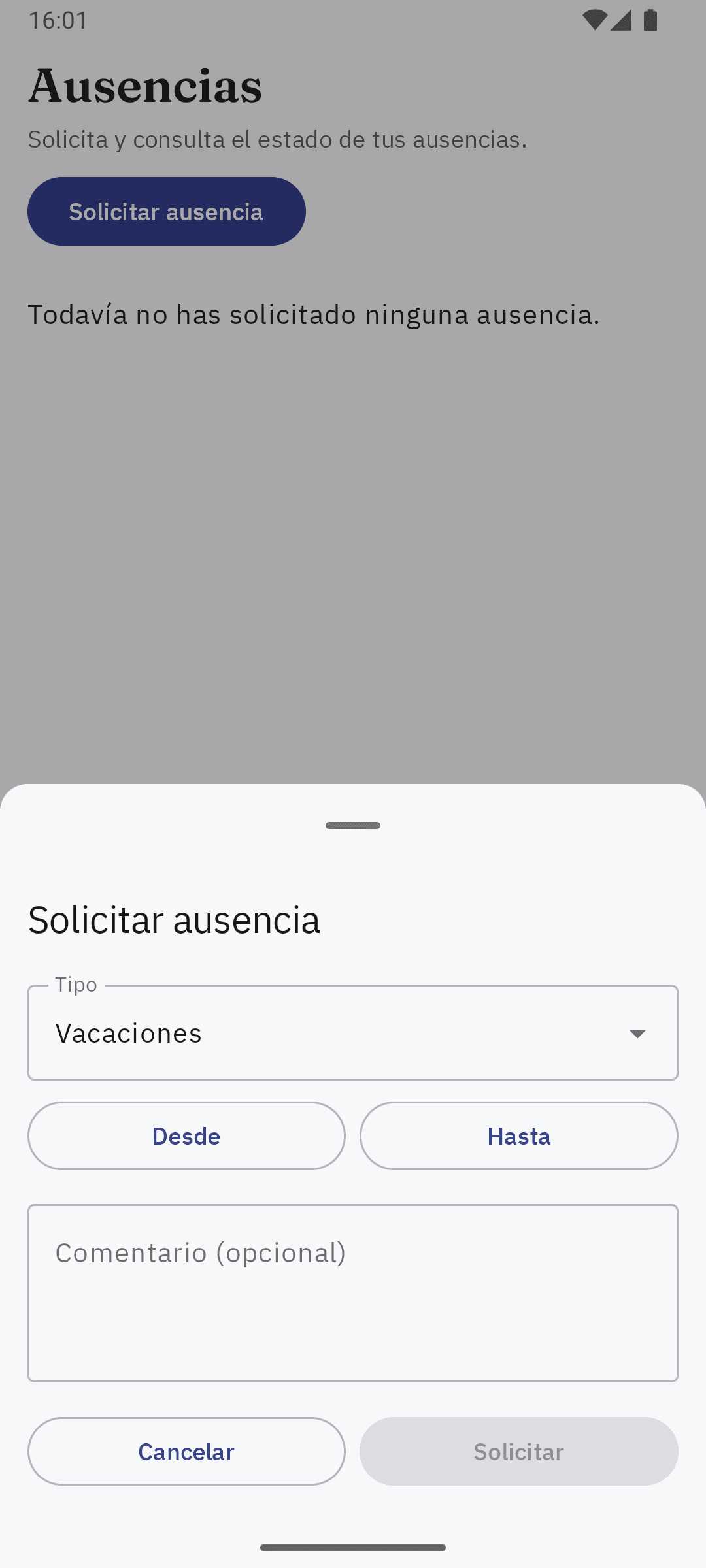
Time-off request form in Sello's Android app.
Requesting time off from the app.
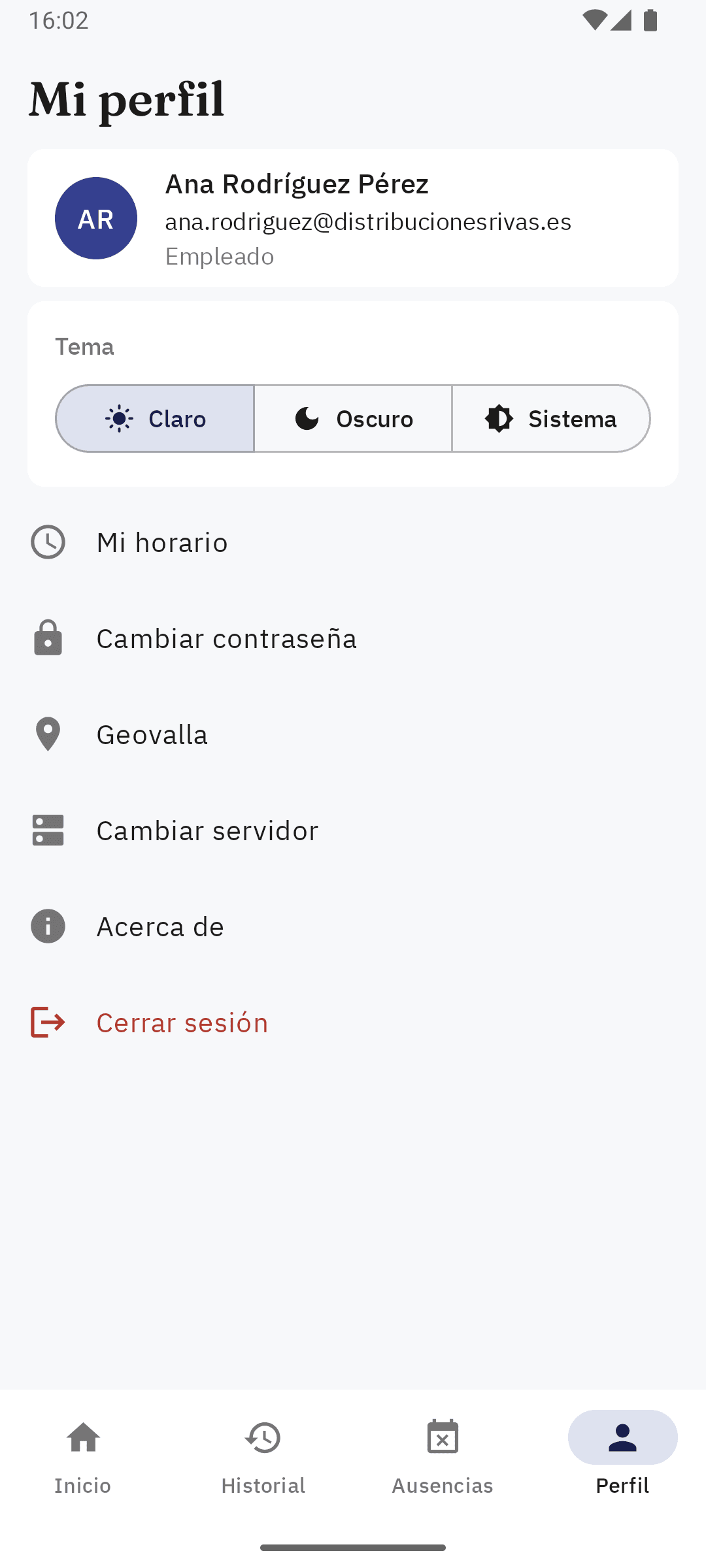
Profile screen in Sello's Android app with access to schedule, password, and geofencing.
Employee profile in the app.
Weekly schedule view for the employee in Sello's Android app.
Weekly schedule in the app.
Geofencing setup screen in Sello's Android app, with a notification radius on a map.
Optional geofencing, set up by the employee.
Android notification from Sello asking whether to clock in on arrival at the office, without clocking in automatically.
Geofence alert, never an automatic clock-in.
01 / 08

Connected system

The web dashboard and the Android app share the same API: a single time record, synced and traceable from either environment.

Web dashboard
API / Backend
Android app
  • Clock-ins
  • Exceptions
  • Reports
  • Sync

Want to roll out Sello at your company, or solve a similar need? Tell me the context and I'll get back to you with next steps.

Request information